
One kitchen, kept by the shopping and cooking you already do
Every part of Heilsa feeds the next: the list fills the pantry, the pantry says what to use, the plan uses it, and cooking takes it back out. That is why nobody has to keep it up by hand.
- 1
Bought it? Tick it off
A ticked shopping line puts the food in the pantry and starts its clock.
- 2
See what needs using
The Use soon shelf holds whatever has the least time left.
- 3
Plan from it
Suggestions lead with dinners that use it, and say what each is missing.
- 4
Cook, and it keeps up
Dinner’s done takes out what was used and keeps the leftovers.
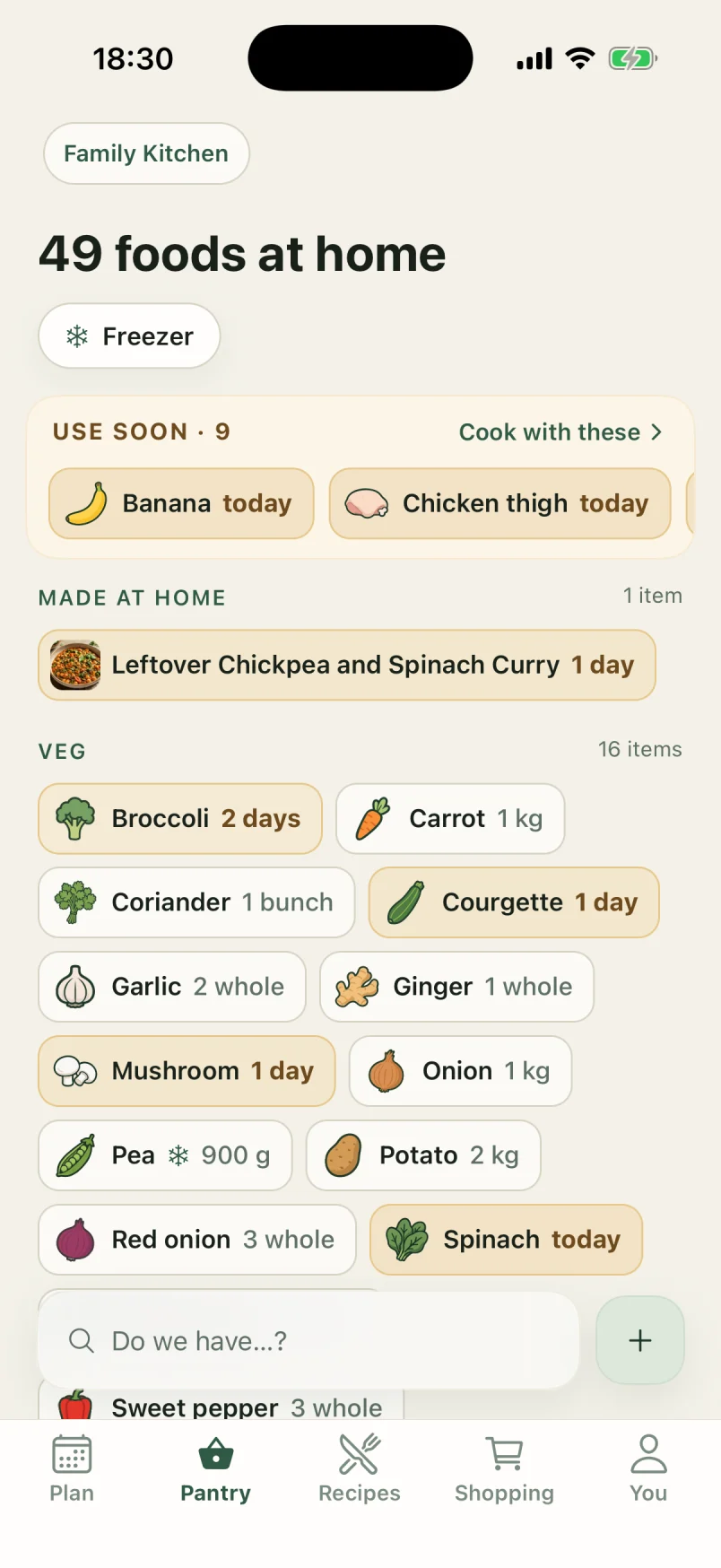
Pantry wall
A pantry that tells you what to use first
Every food at home on one wall, each with its own drawing, and a Use soon shelf on top for whatever has the least time left.
- Shelf life comes from USDA FoodKeeper, by food and where it is kept. Nobody types a use-by date.
- Use soon shows what has three days or fewer, and Cook with these finds recipes for it.
- “Do we have…?” answers in one line, with Add to shopping if you don’t.
- Freeze anything, and Taken out moves it to the fridge to thaw.
- Ticking a shopping line puts the food on the wall, on every phone in the household.
Meal planning
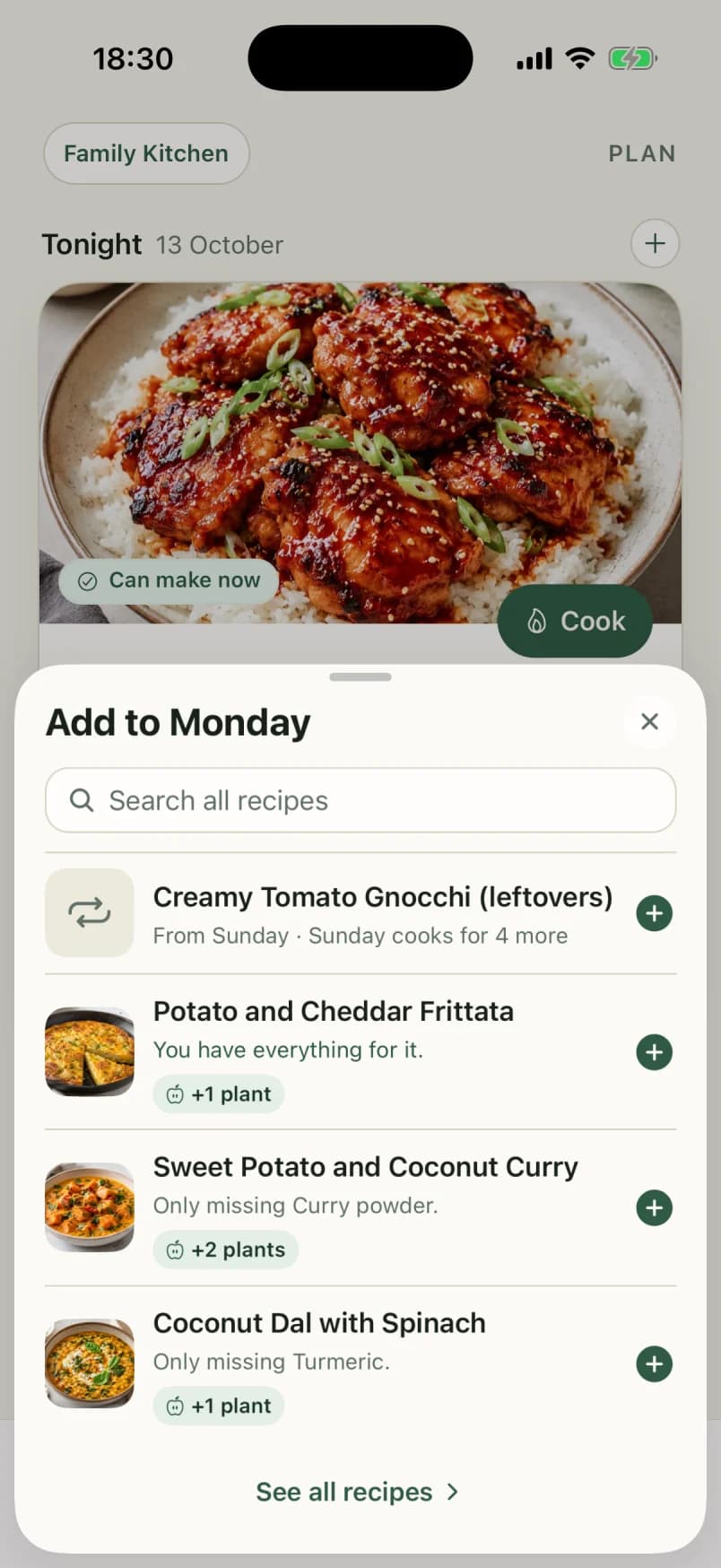
Dinner plans that start from the fridge
Plan up to a fortnight of dinners. Heilsa ranks the choices by what needs using and what you already have, and leaves the deciding to you.
- Fourteen days ahead, and nothing filled in for you.
- Suggestions lead with dinners that use food about to go off.
- Allergens and foods someone would rather not eat are left out; a dinner off someone’s diet says so.
- Cook for eight and plan the rest as leftovers, or freeze them for another week.
- The evening before a dinner from the freezer, Heilsa reminds you to take it out.
Recipes
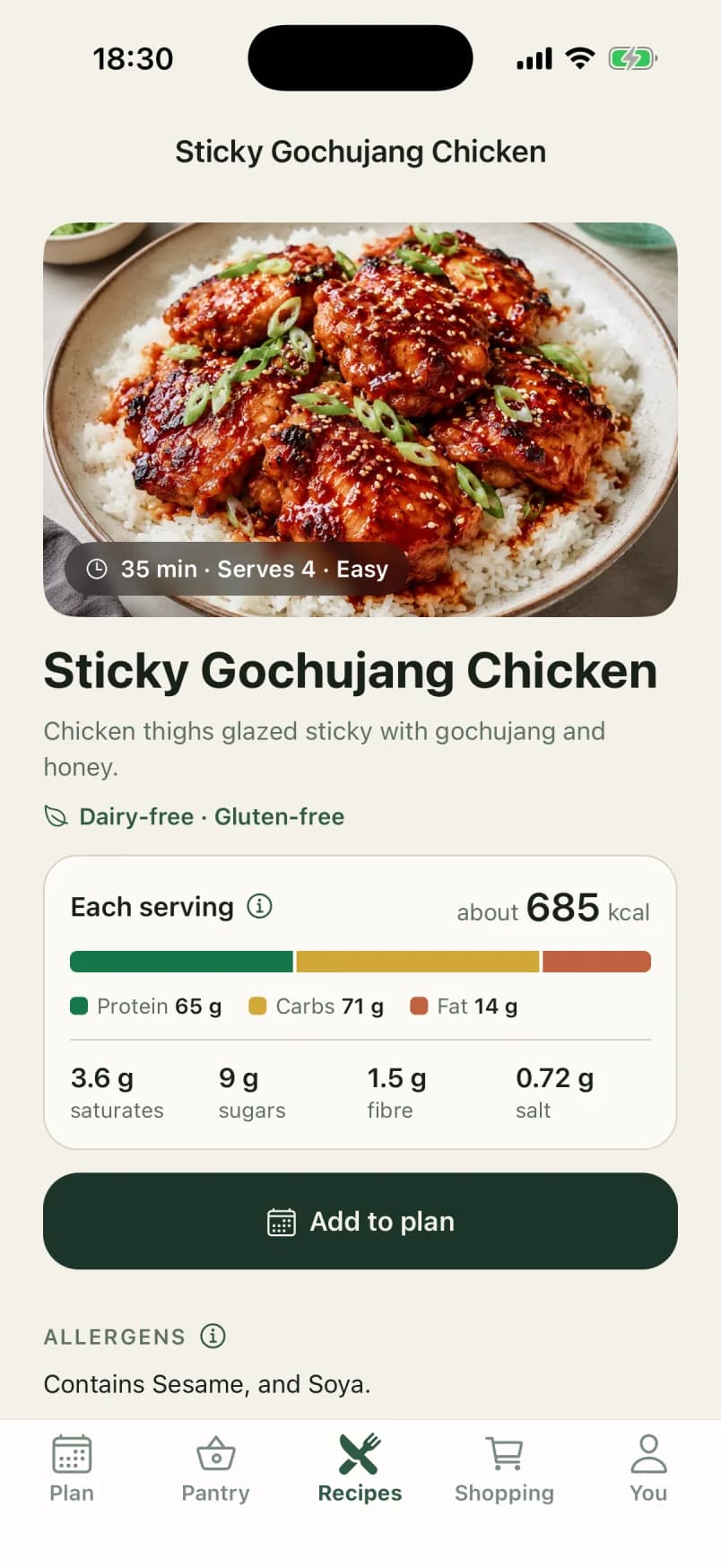
Recipes, checked against your kitchen
A hundred curated recipes and every one you add, each marked Can make now, Almost there or Missing key from what is at home.
- Coverage on every recipe, from the household’s pantry.
- Nutrition per serving and the allergens it contains.
- Staples like salt and oil are assumed, so dinner never fails on seasoning.
- Every recipe has a picture: take one, choose one, or Heilsa draws one.
- Keep a recipe private, or share it with the household.
Recipe import
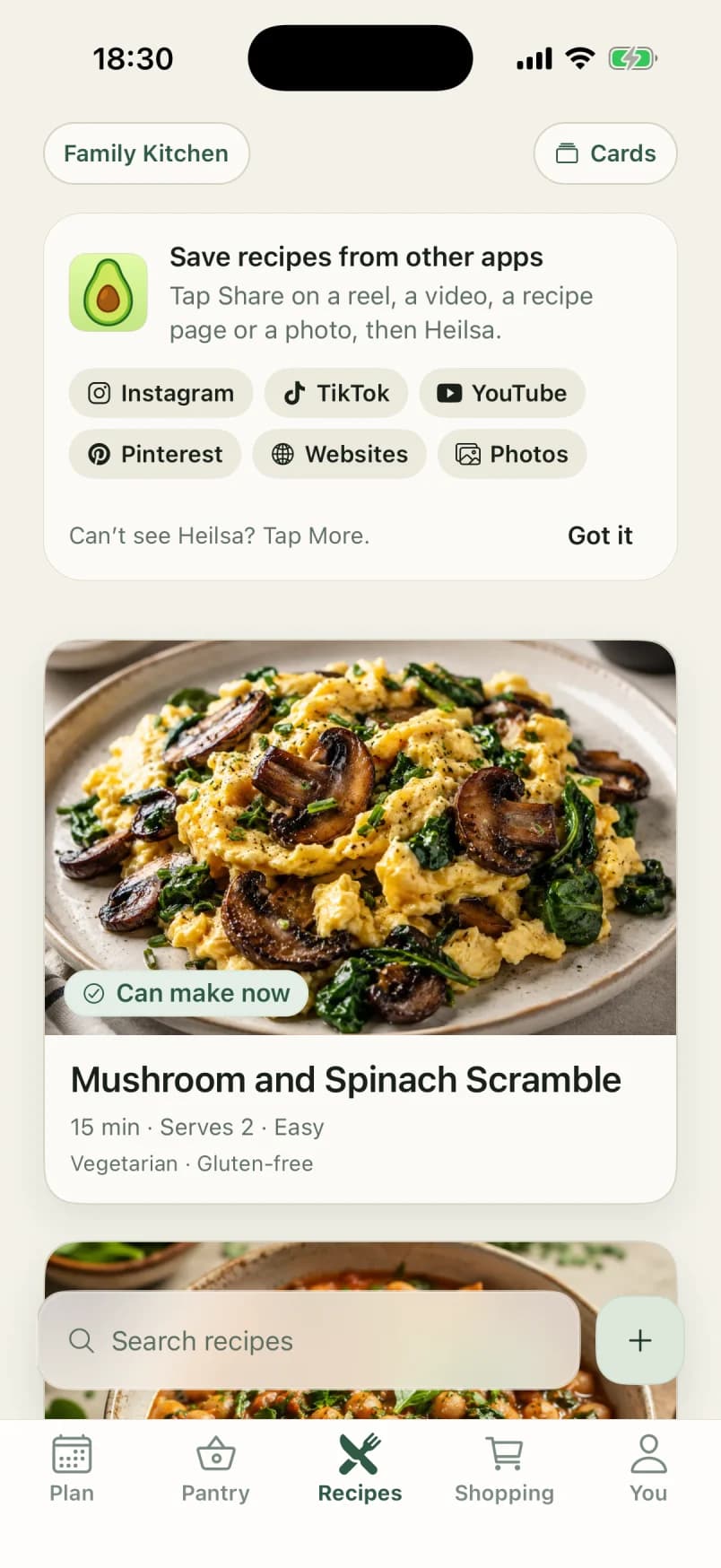
Save a recipe from any app
Share a reel, a TikTok, a YouTube video, a recipe page or a photo to Heilsa, and it comes back as a recipe for you to check.
- Works from the iPhone share sheet in Instagram, TikTok, YouTube, Pinterest, Safari and Photos.
- Up to three photos of a cookbook page or a handwritten card.
- Paste a link or the text of a recipe, or write it out yourself.
- Nothing joins your recipes until you have checked it.
- Shared with no signal, it waits on the phone and is read later.
Shopping list
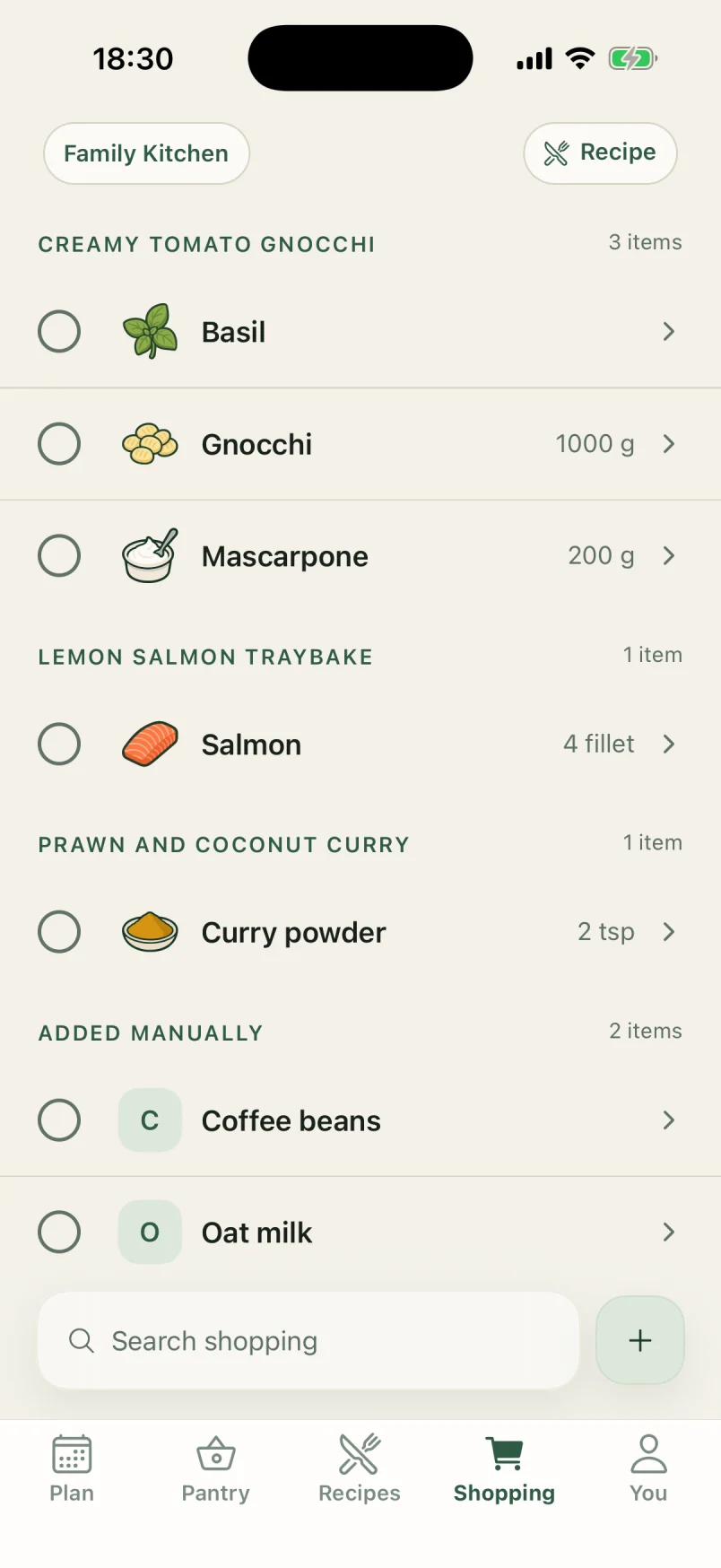
A shopping list that writes itself
Plan a dinner and what it needs, minus what is already home, goes on the shared list. Tick it in the shop and it is in the pantry.
- Missing ingredients from planned dinners appear on their own.
- Group the list by aisle, or by the dinner each item is for.
- Ticked food goes straight into the pantry, with an undo.
- Running low? learns the household’s usuals and offers them with one tap.
- Food past its best comes back to be checked: Still good restarts its clock.
What you ate
See what the household eats
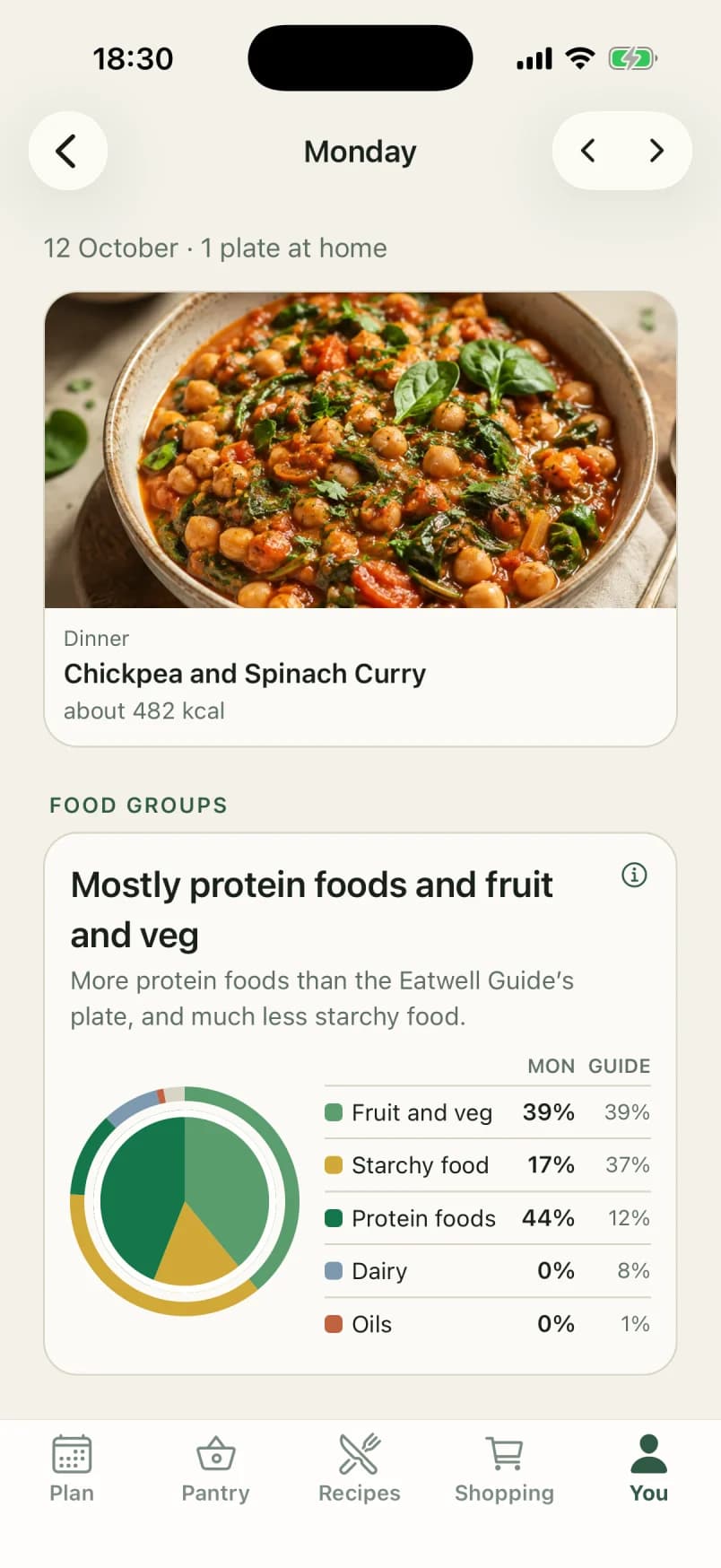
The You tab adds up the plates you eat at home: food groups beside the Eatwell Guide, nutrition per plate, and the goals you chose, measured each week.
- A four-week calendar of the plates you ate at home.
- Each day plate by plate, in the UK’s front-of-pack colours, and its food groups.
- Goals like eating more plants or building strength, measured over the last seven days.
- Goals lean the dinner suggestions, so the plan helps.
- Apple Health: plates written in, weight read out. Only you see these.
Try it with your own kitchen
Heilsa comes to the App Store in November. Join now, through TestFlight, and your household keeps it free through 2027.
iPhone with iOS 15.1 or later, in the UK and Switzerland. Somewhere else?