
A shopping list the whole household can trust
Most shared lists work fine in the shop and fall apart either side of it. Heilsa connects the list to the pantry it came from and the pantry it feeds back into.
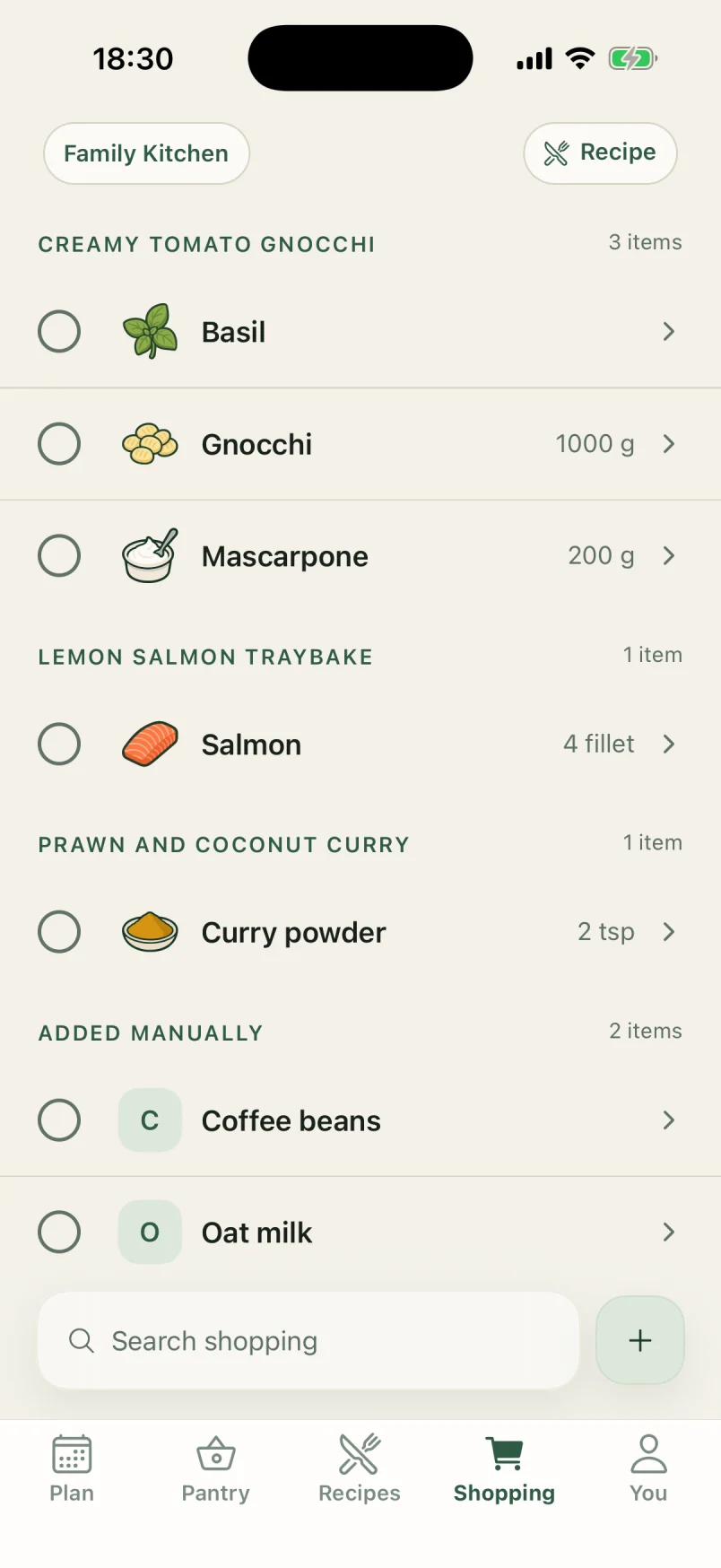
 Salmon4 filletSalmon4 fillet
Everyone sees the same list
Items appear on every phone in the household as they are added. Whoever is closest to the shop can go, and nothing depends on one person remembering to forward a screenshot.
Each item remembers why it is there
An item added because a recipe needed it stays connected to that recipe. Standing in an aisle looking at "coriander", it matters whether that is for Thursday or a guess someone made a fortnight ago.
Bought items become pantry items
Marking something bought moves it into the shared pantry. The loop closes without anyone doing a second pass of data entry, which is the step every other setup asks for and nobody performs.
Built for two people who shop separately
Households rarely shop together. The list is designed for the case where one person adds and another buys, hours apart, without either of them checking in first.
In the app
How Heilsa does it.
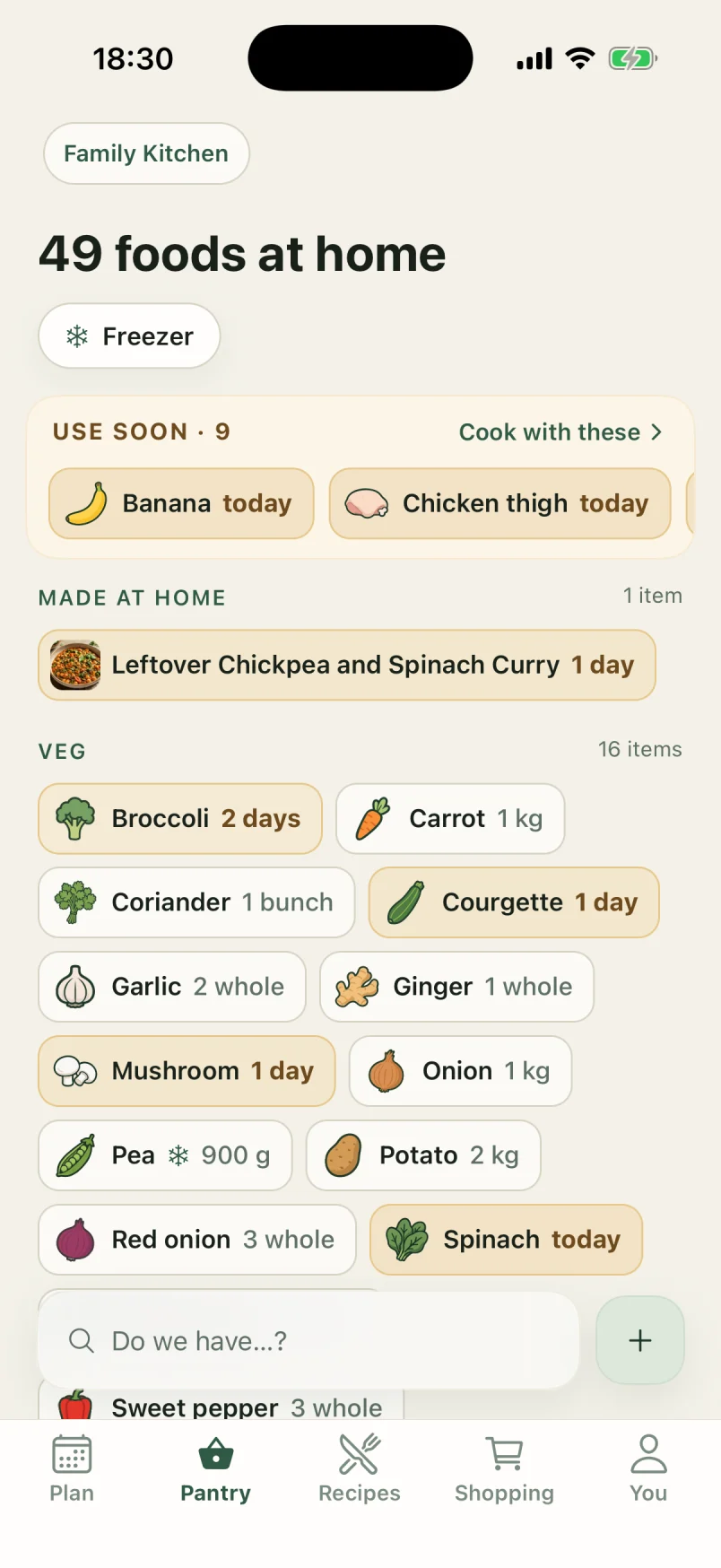
Pantry wall
A pantry that tells you what to use first
Every food at home on one wall, each with its own drawing, and a Use soon shelf on top for whatever has the least time left.
Pantry wall in detail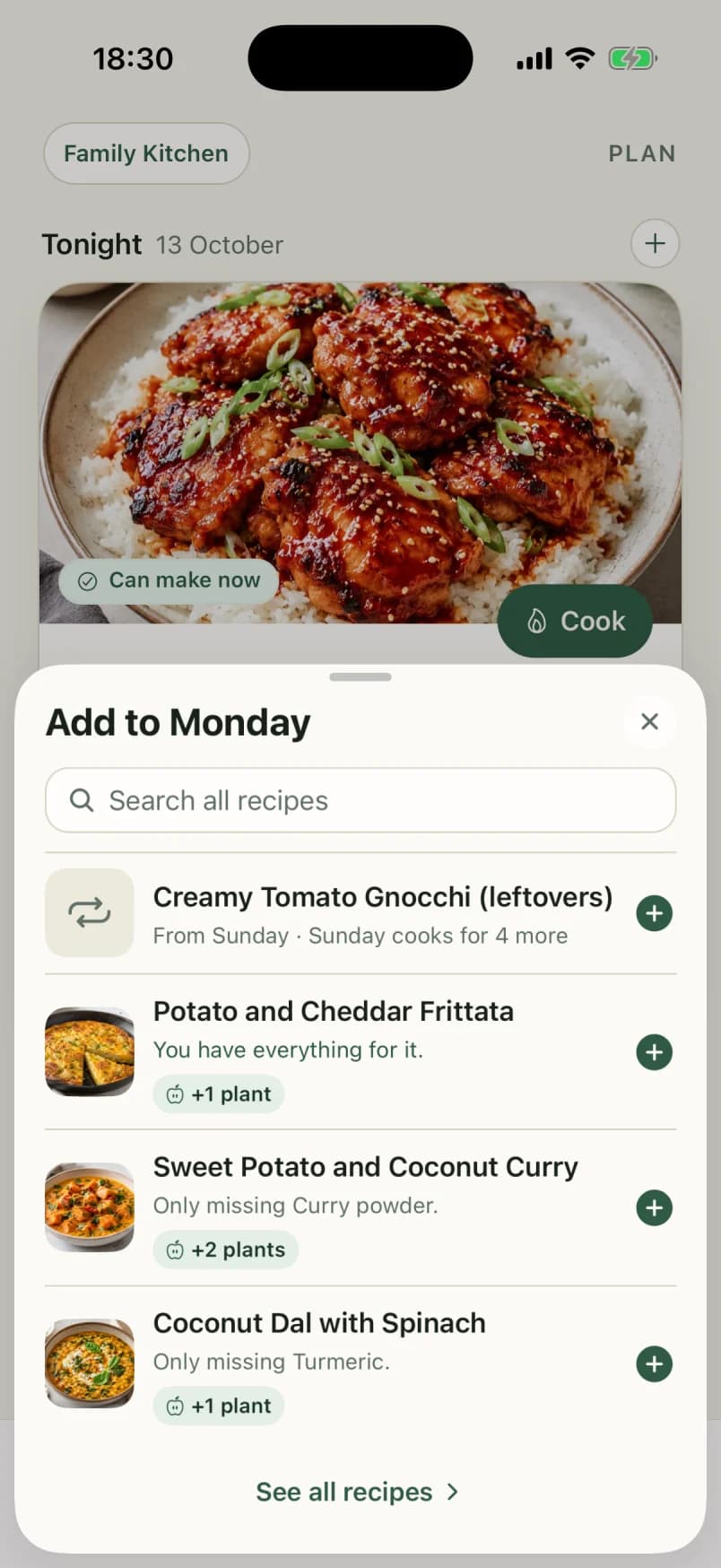
Meal planning
Dinner plans that start from the fridge
Plan up to a fortnight of dinners. Heilsa ranks the choices by what needs using and what you already have, and leaves the deciding to you.
Meal planning in detail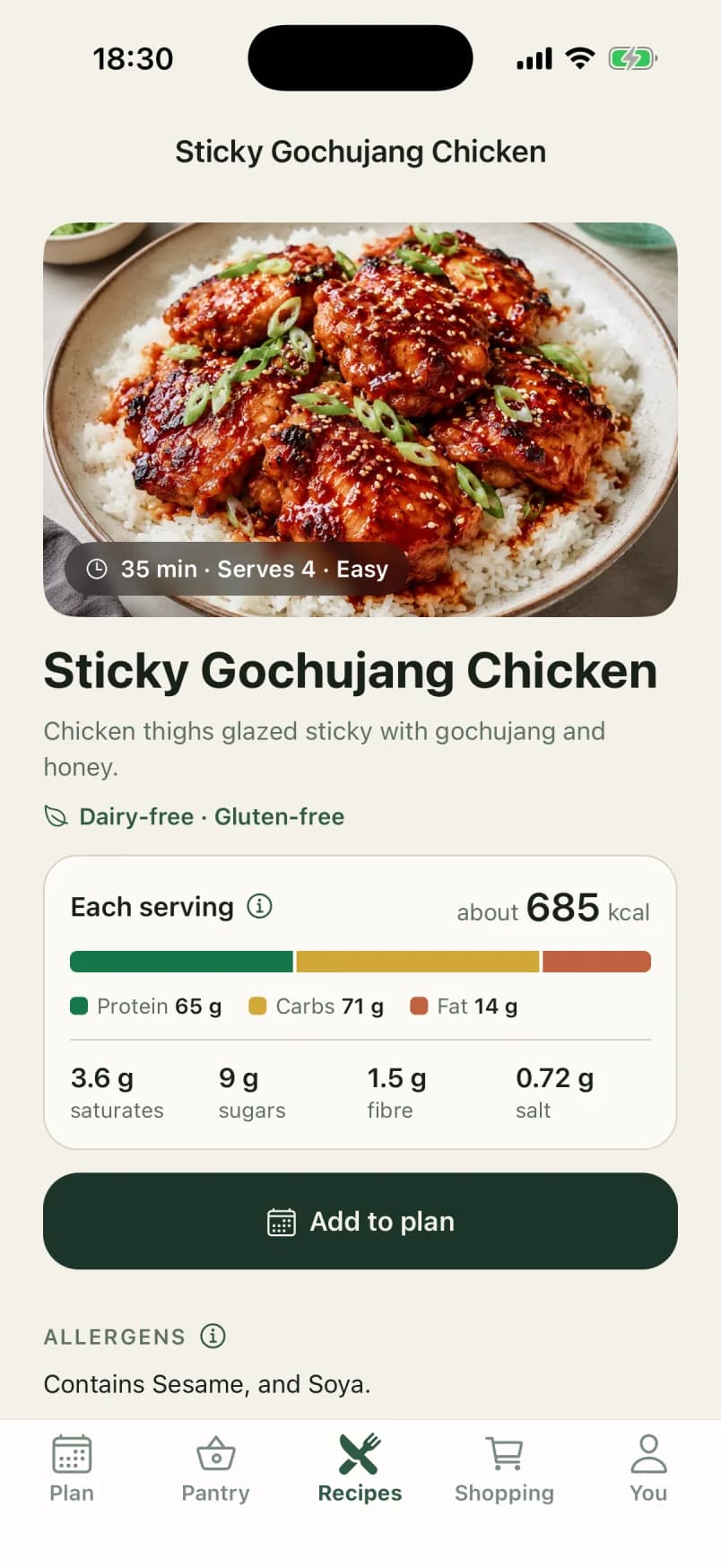
Recipes
Recipes, checked against your kitchen
A hundred curated recipes and every one you add, each marked Can make now, Almost there or Missing key from what is at home.
Recipes in detail
Questions
Plain answers.
- Can more than one person add to the list?
- Yes. Every member of a household shares one pantry and one shopping list, and changes show up on the other phones as they happen.
- Does it work offline in the shop?
- Yes. The household’s kitchen is kept on each phone, so the list opens and ticks off with no signal at all. What you change is shared with everyone else as soon as the phone is back online.
Where else it helps
- What is for dinnerHeilsa answers what is for dinner from your household pantry: what you can cook now, what is nearly covered, and what is missing.
- Reduce food wasteMost household food waste is quiet: things bought twice, or forgotten at the back. Heilsa keeps the pantry visible so it gets cooked.
- Pantry inventoryA shared pantry for households that pays for its own maintenance by driving dinner decisions and the shopping list.
- Cook what you haveHeilsa checks recipes against your household pantry, so you see what you can cook now and what is a couple of items away.
Try it with your own kitchen
Heilsa comes to the App Store in November. Join now, through TestFlight, and your household keeps it free through 2027.
iPhone with iOS 15.1 or later, in the UK and Switzerland. Somewhere else?